

Products
Signia Xperience (X) ITE accessories & compatibility guide | Japebo
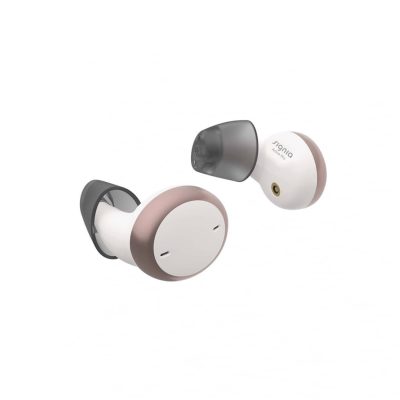
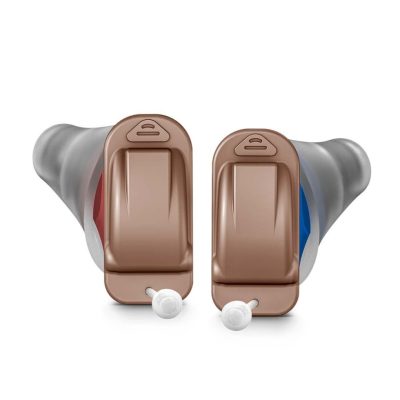
If you use a Signia Xperience (X) ITE series hearing aid, choosing the right accessories is mostly about exact compatibility: the correct wax protection system, the correct fitting parts (if your style uses them), and the right care items to keep sound clear and the device reliable. This guide helps you confirm you’re on the right page and understand what to buy for Signia Xperience (X) ITE models.
What “Signia Xperience (X) ITE” means (and why it matters for accessories)
ITE means “In-The-Ear” hearing aids—models that sit in the ear (custom shell or compact in-ear style). Within Signia’s Xperience (X) platform, ITE models can differ in size and construction, and that can affect which consumables fit (especially wax guards and microphone/sound outlet protection).
The most important takeaway: many accessories are not universal across all Signia products. Always match accessories to your exact hearing aid style and sound outlet/wax protection type.
Which accessories are typically relevant for Signia Xperience (X) ITE models?
Depending on your exact ITE version, you may need some or all of the following:
Wax guards / wax filters (most common replacement item for ITE)
Cleaning tools (brush, wire loop, cleaning wipes)
Drying solutions (drying box, drying capsules, dehumidifier)
Batteries (for non-rechargeable ITE models, if applicable)
Chargers (only for rechargeable ITE variants, if applicable)
Items like receivers are typically associated with RIC (receiver-in-canal) models rather than classic ITE shells, but some Signia in-ear styles can have parts that look similar. If you’re unsure, focus first on identifying your wax protection system and the exact model name from your documentation.
How to confirm compatibility for Signia Xperience (X) ITE accessories
Use these checks before you buy:
1) Identify your exact model and form factor
Look for the model name on your purchase paperwork, fitting report, or in the Signia app (if used with your device). “Xperience (X)” is the platform; the precise ITE model name helps pinpoint compatible consumables.
2) Check the wax guard type (most important)
Wax guards come in different systems and sizes. The correct one is the one that matches the sound outlet on your hearing aid. If you remove a wax guard and compare it, note these details:
Does it use a stick/tool replacement system?
Is the filter round, mesh-like, or basket-shaped?
Does it sit flush with the outlet or slightly recessed?
If you’re unsure between two types, choose based on the exact system name shown on the product page or your clinician’s recommendation—wax guards are one of the most common sources of incorrect orders.
3) Battery vs rechargeable (if applicable)
Not all Signia Xperience (X) ITE models use the same power setup. If your device uses disposable batteries, match the battery size shown on the old pack or in your manual. If it’s rechargeable, ensure the charger model matches your device generation and connector/type.
How to choose the right replacement parts (quick decision guide)
Most customers can choose correctly by following this order:
Start with wax guards: match the exact wax filter system used in