ReSound Nexia microRIE 60S Accessories & Compatibility Guide | Japebo
If you use a ReSound Nexia microRIE 60S, choosing the right accessory can feel confusing—especially when small parts look similar but are not interchangeable. This guide is made to help you identify what typically needs replacing (like domes and wax protection), understand what “microRIE” means for compatibility, and make safer choices when buying ReSound Nexia microRIE 60S accessories.
What “ReSound Nexia microRIE 60S” means for accessories
microRIE refers to a specific ReSound hearing aid style where the receiver (speaker) sits in the ear canal and connects to the hearing aid via a thin wire. For accessory shopping, this matters because most wear parts attach to the receiver end, not the hearing aid body.
In practice, the accessories most commonly associated with the ReSound Nexia microRIE 60S are:
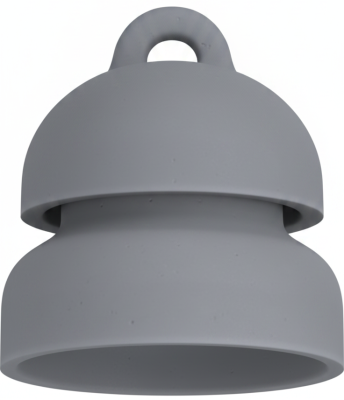
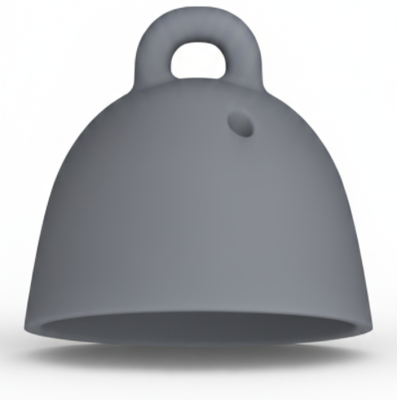
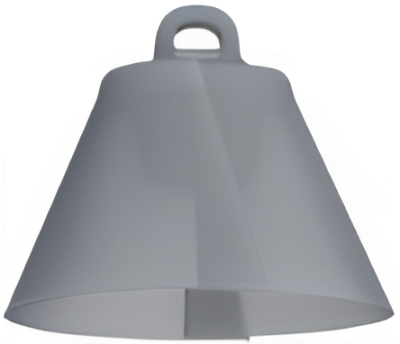
Domes (ear tips) in different styles and sizes
Wax protection (filters/guards) to prevent wax from blocking sound
Receiver wires (only when damaged or the fit needs changing)
Retention locks/sports locks (if your setup uses them)
Most common ReSound Nexia microRIE 60S wear parts
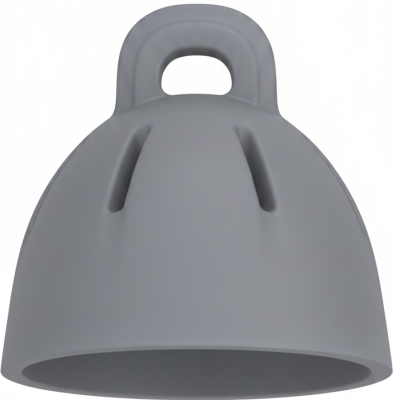
Domes (ear tips)
Domes affect both comfort and sound. If your current dome slips, whistles (feedback), feels uncomfortable, or sounds “thin” or “boomy,” the dome type/size may be the cause—or it may simply be time to replace it.
Typical dome styles you may see for ReSound microRIE fittings include:
Open domes (more ventilation, natural sound; often used for milder losses)
Tulip domes (a balance of openness and sealing)
Closed domes (more seal; more bass and less leakage)
Power domes (stronger seal; often for more amplification)
Important: Domes are not universal. The correct dome must match your receiver end and system type. If you’re unsure what you currently use, compare the shape and how it attaches (push-on vs. different locking styles).
Wax protection (wax filters/guards)
Wax protection is one of the most frequent “why is my hearing aid suddenly quieter?” fixes. If sound becomes weak, intermittent, or muffled, the wax guard may be blocked.
To choose the right wax protection for your ReSound Nexia microRIE 60S, you typically need to match:
The receiver type you have
The wax filter system used on that receiver (systems vary by receiver generation)
If you still have your packaging from previous filters, use the exact name and look for a like-for-like match. If not, check the receiver tip closely—many systems have a distinct colour, tool shape, or filter size.
Receiver wires (speaker units)
Receiver wires are model- and size-specific. If your sound cuts out when the wire is touched, if the wire is kinked, or if your audiologist has changed your power level, you may need a replacement receiver.
Before buying a receiver for a ReSound Nexia microRIE 60S, confirm:
Left vs. right (they are different)
Wire length (comfort and stability depend on this)
Power level (must match your fitting)
How to choose the correct ReSound Nexia microRIE 60S accessory
Use these simple checks to reduce the risk of ordering the wrong part:
Start with what you already wear: note the dome style, size, and how it attaches.
Identify the receiver details: many receiver wires have tiny markings indicating side (L/R), length, and power.
Match the wax filter system exactly: don’t assume “a ReSound wax filter” is enough—there are multiple types.
When in doubt, match packaging or ask for help: a photo of the receiver end and current consumables usually makes identification much easier.
Common problems with ReSound Nexia microRIE 60S and what to try first
Muffled or weak sound
Replace the wax guard
Replace the dome (old domes can collapse or clog)
Check for moisture and ensure the receiver opening is clear
Whistling (feedback)
Try a better seal (closed/tulip/power dome, or a different size)
Make sure the dome is fully seated on the receiver
Confirm the receiver is inserted properly in the ear
Sound drops out when moving
Inspect the receiver wire for damage or kinks
Consider replacing the receiver if the issue is repeatable
Buy ReSound Nexia microRIE 60S accessories at Japebo
At Japebo, you can find compatible replacement accessories for the ReSound Nexia microRIE 60S—including domes, wax protection, and receiver-related parts—so you can restore comfort and sound quality quickly. If you want maximum certainty, identify your current dome and wax filter type first, then order the exact match.
FAQ: ReSound Nexia microRIE 60S accessories
Are ReSound Nexia microRIE 60S domes universal?
No. Domes can look similar across brands and even across ReSound systems, but the attachment and receiver compatibility can differ. Match the dome system to your receiver end.
How often should I replace domes on a ReSound Nexia microRIE 60S?
Many users replace domes regularly for hygiene and performance (often every few weeks to months, depending on wear and earwax). Replace sooner if the dome is discoloured, loose, stiff, or uncomfortable.
How do I know which wax filter my ReSound Nexia microRIE 60S uses?
The safest method is to match the exact filter system you have used before (packaging name/type). If you don’t have that, identify the receiver type and compare the filter size/tool style to the correct ReSound wax guard system.
Can I use any ReSound receiver wire with the Nexia microRIE 60S?
No. Receiver wires are specific by generation/system, side (left/right), length, and power level. Use the receiver type specified for your fitting to avoid poor fit or malfunction.
What if I order the wrong accessory for my ReSound Nexia microRIE 60S?
If you’re uncertain, check your current parts again before opening packaging, and consider getting help identifying the exact dome and wax filter system. Correct matching is the fastest way to restore sound and comfort.