
Philips HearLink CROS miniRITE T R – Compatibility & Buyer’s Guide | Japebo
If you’re looking for accessories or replacement parts for the Philips HearLink CROS miniRITE T R, this guide helps you confirm compatibility and choose the right items before you buy. The CROS miniRITE T R is a specific Philips HearLink hearing solution, and accessories must match the exact model and fitting type to work correctly.
What the Philips HearLink CROS miniRITE T R is (and why compatibility matters)
The Philips HearLink CROS miniRITE T R is a CROS-style solution designed for certain single-sided hearing situations, with a miniRITE form factor and a rechargeable (T R) variant. Because Philips uses different connector systems and component standards across models and generations, selecting the correct accessory depends on details like:
Model name (CROS miniRITE T R)
Form factor (miniRITE)
Wireless / charging format (T R = rechargeable)
Connector / receiver type used by the device family
When any of these don’t match, common outcomes are poor fit, unstable connection, charging issues, or parts that simply don’t attach.
Accessory categories typically used with Philips HearLink CROS miniRITE T R
Depending on how your device is configured, you may need one or more of the following accessory types. The key is choosing the variant that matches your exact Philips HearLink CROS miniRITE T R setup.
Charging accessories
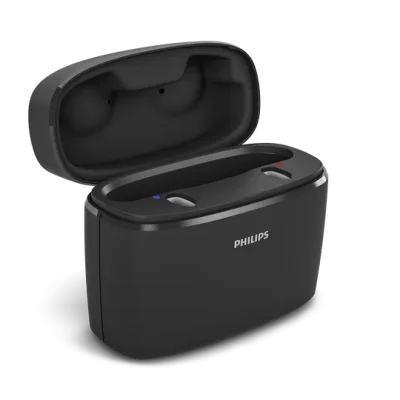
Rechargeable models often require a specific charger format. If you are replacing a charger or adding a spare for travel, make sure it is designed for the same rechargeable miniRITE generation and charging interface used by your Philips HearLink CROS miniRITE T R.
Domes and ear pieces (if applicable)
If your setup includes domes, the correct dome style depends on what your hearing care professional fitted (open, closed, power, size, and coupling system). Comfort and sound quality (including feedback control) can change significantly if the dome type or size changes.
Wax protection / filters (if applicable)
Wax filters protect the sound outlet from earwax and moisture. Using the correct filter system is essential—different Philips outlet designs use different filter formats, and the wrong type may not seat correctly or may block sound.
Retention and comfort parts (if applicable)
Retention locks and similar accessories help keep the fit secure. These are often specific to the dome/coupling system, so matching the correct style is important for comfort and stability.
How to choose the correct Philips HearLink CROS miniRITE T R accessory
Use the steps below to reduce the risk of ordering the wrong part:
Confirm the exact model name: Philips HearLink CROS miniRITE T R (not just “Philips HearLink” or “miniRITE”).
Identify what you’re replacing: charger, dome, wax filter, retention part, etc.
Match the system, not only the size: many accessories look similar but use different attachment or filter standards.
Check any packaging or part code from your current accessory (this is the safest match).
If in doubt, compare photos of your current part to the product listing, focusing on the connector/seat rather than only shape.
Common issues and quick fixes
The accessory doesn’t fit or clicks on incorrectly
This usually means the accessory belongs to a different Philips family/generation or a different coupling system. Re-check the exact model and compare the attachment interface.
Sound is weaker or blocked after replacing a part
Most often caused by an incorrect or clogged wax filter, or a dome that doesn’t match the intended venting. Replace the filter with the corre