Unitron Insera IIC Accessories & Compatibility Guide | Japebo
If you’re looking for Unitron Insera IIC accessories, the most important question is simple: will it fit your exact Insera IIC hearing aid? Because Insera IIC is an Invisible-in-the-Canal (IIC) model, compatibility is narrower than with many RIC/BTE styles. This guide explains how Unitron Insera IIC accessory compatibility typically works, what to check before you buy, how to avoid common mistakes, and what to do if you’re unsure.
What is Unitron Insera IIC (and why accessories are different)
Unitron Insera IIC is a custom in-the-ear hearing aid designed to sit very deeply in the ear canal for maximum discretion. That deep, custom fit is exactly why accessory selection can be tricky:
No standard domes or receivers: IIC models don’t use the common “dome + receiver” parts found on many behind-the-ear hearing aids.
Custom shell matters: Many parts depend on how your individual device was built (shell size, faceplate layout, microphone location, venting, etc.).
Small size = specific consumables: Maintenance items (like cleaning tools and batteries) are often the most relevant “accessories” for IIC users.
Unitron Insera IIC compatibility: what you should check first
Before ordering any accessory for Unitron Insera IIC, confirm these details:
Exact model name: “Insera IIC” (not just “Insera” or “Unitron custom”).
Battery size: Most IIC devices use small zinc-air batteries (commonly size 10), but you should verify what your device takes.
Wax protection system: Custom IIC devices often use a specific wax guard style. The correct type depends on the receiver/wax filter interface used in your build.
What you’re trying to replace: Battery? Wax guard? Cleaning tool? A missing pull string? The right product depends on the exact part.
If you can, check the device packaging, user booklet, or your audiologist’s receipt/spec sheet. If you have the hearing aid available, noting any markings on the wax filter system or comparing the current wax guard to product photos is often the fastest way to confirm the correct match.
Most common accessories for Unitron Insera IIC
Because Insera IIC is a custom model, the most frequently purchased items are maintenance and power accessories:
Batteries for Unitron Insera IIC
For most users, batteries are the primary consumable. To choose correctly:
Use the same battery size you currently use (the size is usually printed on the pack).
Choose high-quality zinc-air batteries for stable performance.
If you experience short battery life, check for wax blockage or moisture issues before assuming the batteries are the problem.
Wax filters / wax guards (earwax protection)
Wax protection is crucial for IIC hearing aids because the device sits deep in the canal where wax buildup is common. The challenge is that wax guard types differ. To avoid ordering the wrong wax filters:
Match the exact wax guard system currently in your hearing aid.
Look for a clear visual match of the guard shape and the removal/insertion tool.
If your current wax guards came with a specific tool or dispenser, use that as a reference.
If you’re unsure, it’s better to confirm compatibility before purchasing—using the wrong wax guard can lead to poor fit or inadequate sealing.
Cleaning and care tools
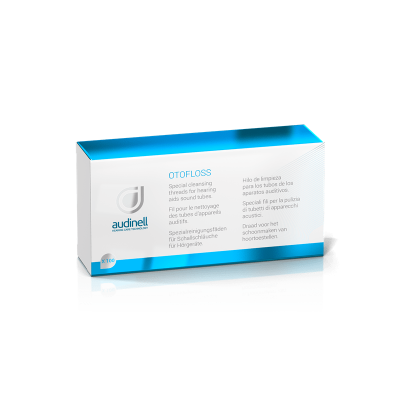
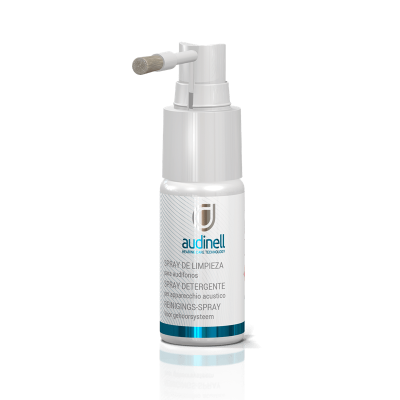
Regular cleaning helps prevent reduced volume, distortion, and service repairs. Typical care items that can be relevant for Unitron Insera IIC include:
Cleaning brush
Wax pick / loop tool
Drying solutions (for moisture protection)
Choose tools designed for in-the-ear devices and use gentle cleaning around the microphone ports and sound outlet.
How to choose the right Unitron Insera IIC accessory (step-by-step)
Identify the part you need: battery, wax guard, cleaning tool, or another maintenance item.
Match what you already have: battery size number, wax guard shape/tool, packaging references.
Confirm it’s for Unitron Insera IIC: avoid generic “Unitron Insera” matches unless the listing explicitly states IIC compatibility.
When in doubt, compare photos: especially for wax guards—visual matching is often more reliable than guessing by name.
Common Unitron Insera IIC issues and quick fixes
The sound is weak or muffled
Most often caused by blocked wax protection. Replace the wax guard and clean the sound outlet.
Check battery freshness and that the battery door closes properly.
Whistling (feedback)
Make sure the device is inserted fully and correctly.
Inspect for wax buildup; blockage can change acoustics and cause feedback.
If it started suddenly after a change, confirm you didn’t use an incompatible wax guard type.
Short battery life
Try a fresh pack and ensure the sticker tab is removed properly.
Moisture can reduce runtime—consider a drying routine if you live in a humid climate or sweat a lot.
Buy Unitron Insera IIC accessories at Japebo
Japebo helps you choose the right Unitron Insera IIC accessories by focusing on compatibility and clear product information. If you’re choosing between similar-looking wax guards or you’re not 100% certain what fits your specific Insera IIC build, confirm your current part first so you can order with confidence and avoid returns.
FAQ: Unitron Insera IIC accessories
Does Unitron Insera IIC use domes?
No. Insera IIC is a custom in-the-ear device, so it does not use standard domes like many RIC/BTE hearing aids.
Which wax filters fit Unitron Insera IIC?
It depends on the wax protection system used in your specific device. The safest approach is to match the wax guard type you currently use by name and by visual comparison (shape and tool/dispenser).
What battery does Unitron Insera IIC use?
Many IIC devices use very small zinc-air batteries (commonly size 10), but you should confirm the exact size from your current battery pack or device documentation.
Can I use “universal” cleaning tools with Unitron Insera IIC?
Basic brushes and wax picks are often compatible, but choose tools intended for in-the-ear hearing aids and clean gently to avoid damaging microphone ports or the sound outlet.
I’m not sure which accessory I need—what should I check?
Start by identifying what problem you’re solving (muffled sound, low volume, maintenance refill). Then check your current accessory packaging or visually match the part (especially for wax guards). If you still can’t confirm, use your device paperwork as the reference point.