
Products
Unitron In-The-Ear Instrument (ITE) guide – compatibility, parts & how to choose
If you’re using a Unitron In-The-Ear Instrument (ITE) hearing aid and need replacement parts, you’re in the right place. This guide explains the most common Unitron ITE accessories, how compatibility typically works for in-the-ear models, and how to choose the right items (especially wax protection and power). Use it to reduce guesswork and avoid ordering parts that don’t fit your Unitron ITE.
What “Unitron ITE” means (and why it matters for accessories)
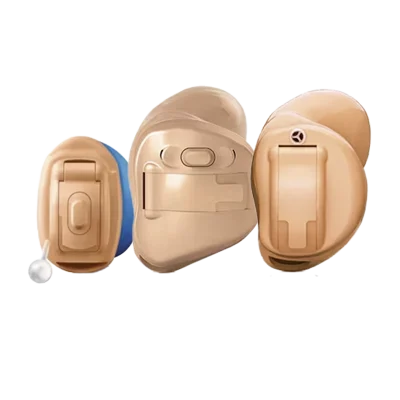
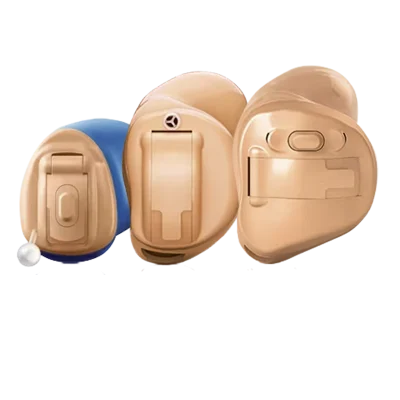
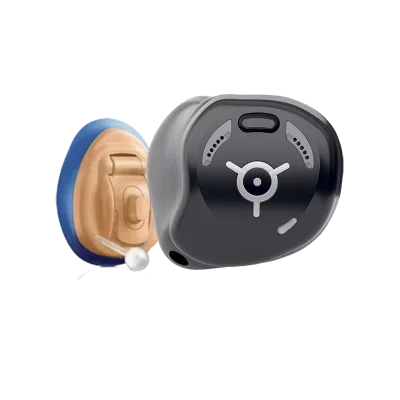
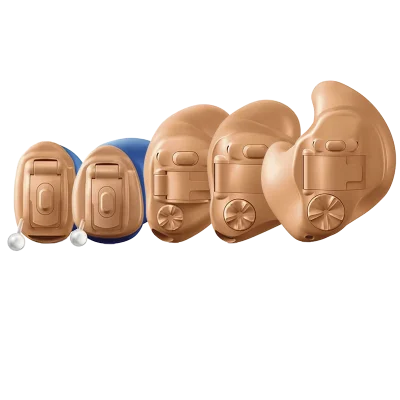
ITE (In-The-Ear Instrument) usually refers to hearing aids that sit in the outer ear (shell) rather than behind the ear. Because the electronics and sound outlet are housed in the ear, ITE models often rely on:
Wax protection at or near the sound outlet (very important for reliability)
Hearing aid batteries (for many ITE styles) or, in some cases, rechargeable solutions depending on the exact model
Cleaning and care tools to keep vents and microphone openings clear
Unlike many Receiver-in-Canal (RIC) styles, ITE hearing aids typically do not use external receivers and standard “domes” in the same way. That’s why ITE accessories are usually focused on wax guards/filters, batteries, and care rather than receivers and dome systems.
What accessories are most common for Unitron ITE hearing aids?
1) Wax guards / wax filters
For most in-the-ear styles, wax guards are the #1 consumable part. They help prevent earwax and moisture from blocking sound and damaging the hearing aid. If your Unitron ITE sounds weak, muffled, or cuts out intermittently, a clogged wax guard is a common cause.
How to choose the right wax guard:
Match the wax guard system used in your specific Unitron ITE (different systems exist and are not interchangeable).
Check your user guide, your audiologist’s notes, or the existing wax guard tool/packaging if you still have it.
If you’re unsure, compare the old wax guard visually (shape/size/tool type) before ordering.
2) Batteries (sizes vary by ITE style)
Many Unitron ITE hearing aids use disposable zinc-air batteries. The correct size depends on the exact ITE form factor (e.g., smaller in-canal styles often use smaller batteries). If you’re replacing batteries, confirm the battery size by checking:
The battery door (often marked with the size)
Your current battery packaging
Your hearing aid documentation
If your hearing aid battery life has dropped suddenly, also check for wax blockage or moisture issues, as both can increase power draw.
3) Cleaning & care (recommended for all ITE users)
Because ITE devices sit in the ear, they are more exposed to wax and moisture. To keep performance stable, it helps to have basic care items such as cleaning tools, drying solutions, and soft cloths. Regular cleaning can also reduce feedback (whistling) caused by blocked vents or openings.
How compatibility works for Unitron ITE accessories
With Unitron ITE hearing aids, compatibility is usually determined by your exact model and its sound outlet/wax protection design. Two Unitron ITE devices may look similar but use different wax guard systems or battery sizes.
Before you buy, try to identify at least one of the following:
The exact model name on your paperwork
The wax guard type you’re currently using (or the tool it came with)
The battery size currently used
If you can’t identify your wax guard type, a practical approach is to remove the current wax guard (if you know how) and compare it to product images on the product page. When in doubt, it’s better to confirm than to “guess and hope”, as wax guards are often not cross-compatible.
How to choose the right replacement parts (quick decision guide)
If the sound is weaker or muffled
Replace the wax guard first (most common fix).
Check the sound outlet for visible blockage and clean carefully.
Try a fresh battery after changing the wax guard.
If the hearing aid is completely dead
Insert a new battery (and confirm you have the right size).
Check battery contacts for dirt/corrosion.
If it still doesn’t turn on, wax/moisture may be involved—clean/dry and consider professional service.
If you get whistling (feedback)
Check for wax buildup around openings and clean as instructed.
Confirm the hearing aid is seated correctly in the ear.
If persistent, it may be a fit/programming issue rather than an accessory issue.
Where to buy Unitron ITE accessories
When purchasing replacements for a Unitron In-The-Ear Instrument (ITE), prioritize confirming compatibility (especially for wax protection). Once you’ve identified the correct type, you can reorder confidently and keep spares on hand to avoid drops in sound quality between changes.
FAQ: Unitron In-The-Ear Instrument (ITE)
Do Unitron ITE hearing aids use domes?
Most ITE models do not use standard RIC-style domes. Instead, the sound outlet is integrated into the in-ear shell, and maintenance is typically focused on wax guards, batteries, and cleaning.
How often should I change the wax guard on a Unitron ITE?
It depends on wax production and daily wear time. Many users change wax guards every few weeks, or immediately when sound becomes muffled or weak.
Why does my Unitron ITE sound muffled even with a new battery?
A clogged wax guard or blocked sound outlet is a very common cause. Replace the wax guard and clean the sound outlet area as recommended by Unitron or your hearing care professional.
How do I find the right battery size for my Unitron ITE?
Check your current battery packaging, the marking on the battery door (if present), or your hearing aid documentation. Battery sizes are not universal across ITE styles.
Can I use “universal” wax guards with Unitron ITE hearing aids?
Wax guards are rarely truly universal. Different systems vary in size, locking mechanism, and tool design, so it’s important to match the exact wax guard type used by your Unitron ITE model.