Oticon Opn ITE HS (Half Shell)
Oticon Opn ITE HS (Half Shell) accessories & compatibility guide | Japebo
If you’re looking for Oticon Opn ITE HS (Half Shell) accessories, you’re in the right place. Because “ITE Half Shell” can refer to several similar-looking custom in-the-ear styles, the safest way to buy the correct parts is to confirm your exact Oticon Opn ITE HS configuration first—then match the accessory type accordingly. This guide explains what typically fits, how to verify compatibility, and what to do if you’re unsure before you order from Japebo.
What is Oticon Opn ITE HS (Half Shell)?
Oticon Opn ITE HS is a custom in-the-ear hearing aid style where the shell fills roughly the lower half of the outer ear (a “half shell” ITE). Unlike RIC/BTE models, most parts are built into the custom shell. That means accessory needs are usually focused on:
Batteries (most common)
Wax protection (wax filters/guards if your unit uses a replaceable system)
Cleaning and care (wipes, drying solutions, tools)
Note: Eartips/dom es and external receivers are typically associated with RIC styles, not custom ITE half-shell devices.
How to confirm compatibility (before you buy)
The model name alone isn’t always enough to guarantee a perfect match for consumables like wax guards. Use these checks:
1) Check the battery door color/marking (battery size)
Open the battery door and look for the battery size marking (or compare your current battery). Oticon Opn ITE HS models commonly use size 312 or size 13 depending on power level and build, but you should confirm with what’s printed or what you currently use.
2) Look at the sound outlet (wax filter system)
Wax protection varies by build. Some custom ITE aids use a replaceable wax guard system; others have a fixed guard that’s cleaned rather than replaced. If you currently replace wax filters, match the new filters to the exact same system you’re using now (shape, color, and removal tool style often indicate the type).
3) Use the serial/model label (best method)
If available, check your paperwork, clinic printout, or the device label for a more precise identifier beyond “Opn ITE HS.” If you’re unsure, choose accessories based on what you already have (battery size and wax guard type), not guesswork.
Accessories people most often need for Oticon Opn ITE HS
Batteries (most common purchase)
The right battery is essential for stable performance. Choose the same size you currently use (commonly 312 or 13). If your aid suddenly seems weak, cuts out, or won’t start, replacing the battery is the first step.
Wax filters / wax guards (if your model uses replaceable filters)
If your hearing aid uses replaceable wax protection, changing wax filters regularly can help prevent:
Reduced volume or “blocked” sound
Intermittent audio
Feedback caused by partial blockage
Important: Wax filter systems are not universal. Only buy the type that matches your current filter and tool.
Cleaning & care
With custom in-the-ear hearing aids, moisture and earwax are the two main causes of performance issues. Good maintenance accessories include:
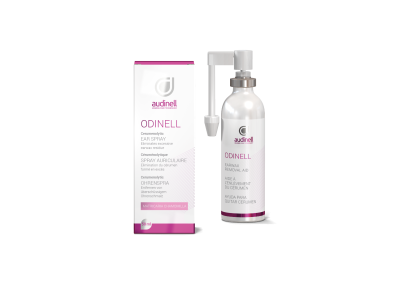
Cleaning wipes or spray (safe for hearing aids)
A drying solution (drying box/capsules) to reduce moisture-related dropouts
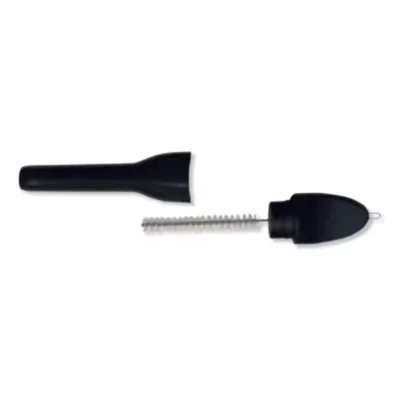
A soft brush and loop tool for gentle outlet and microphone cleaning
How to choose the correct Oticon Opn ITE HS accessory
Use this quick decision path:
Need power? Match the battery size printed on the battery door or your current pack.
Sound is weaker/muffled? First change the battery, then check for wax blockage. If you use replaceable wax guards, replace the filter with the exact same type.
Device cuts out? Check battery freshness and moisture. A drying routine often helps with intermittent issues.
If you’re still unsure about wax filter type, it’s better to confirm before ordering—wax guards differ by system and won’t fit if mismatched.
Common problems (and what usually fixes them)
Muffled or reduced sound
Replace the battery
Inspect and remove wax carefully
Replace the wax filter (if your model uses one)
Whistling/feedback
Check for wax blockage at the outlet
Ensure the hearing aid sits correctly in the ear
If the shell fit has changed, consult your hearing care professional
Intermittent sound or “cuts in and out”
Try a new battery
Dry the device overnight
Check for moisture or wax around microphone ports (clean gently)
Buy Oticon Opn ITE HS accessories at Japebo
Japebo makes it easy to find the right consumables for Oticon Opn ITE HS (Half Shell). To avoid ordering the wrong part, confirm your battery size and (if applicable) your wax filter system first. Once matched, you can stock up so you’re never caught without the essentials.
FAQ: Oticon Opn ITE HS (Half Shell) accessories
Do Oticon Opn ITE HS hearing aids use domes?
Typically no. Domes are most common on RIC hearing aids with a thin speaker wire. Custom ITE half-shell aids usually have a built-in sound outlet rather than a dome.
Which battery does Oticon Opn ITE HS use?
It depends on the exact build and power level. Check the marking in the battery door or match the battery you currently use (commonly size 312 or size 13).
Are Oticon wax filters universal across models?
No. Wax filters vary by system and must match the filter type your hearing aid uses. Compare your current filters and tool, or confirm your exact compatibility before ordering.
How often should I change the wax filter?
There’s no single interval for everyone. Replace it when sound becomes muffled, after heavy wax buildup, or whenever your current filter looks blocked. If you change them frequently, consider improving daily cleaning/drying.
What if I can’t identify my wax filter type?
Use your current filter (shape/color) and tool as the reference. If you still can’t match it confidently, don’t guess—confirm your model details or ask support before purchasing.