Oticon Ruby miniRITE R
Oticon Ruby miniRITE R accessories & compatibility guide | Japebo
If you’re looking for the right Oticon Ruby miniRITE R accessories, you’re in the right place. The Oticon Ruby miniRITE R is a rechargeable miniRITE (receiver-in-the-ear) hearing aid, and choosing the correct parts matters for comfort, sound quality, and reliable daily use. Below you’ll find a practical guide to compatibility and how to choose the right accessories for your Oticon Ruby miniRITE R.
What “miniRITE R” means for Oticon Ruby accessories
“miniRITE” indicates that your Oticon Ruby uses an external receiver (speaker) that sits in the ear canal and connects to the hearing aid with a thin wire. “R” means the hearing aid is rechargeable. These two details influence which accessories fit, especially receivers, ear tips (domes), and charging-related items.
Tip: Accessories are rarely “universal” across all Oticon models. Compatibility depends on your exact hearing aid style (miniRITE), receiver system, and the size/type of ear tip you use.
Common accessory types for Oticon Ruby miniRITE R
Most users of Oticon Ruby miniRITE R will regularly replace or use the following accessory categories:
Domes (ear tips)
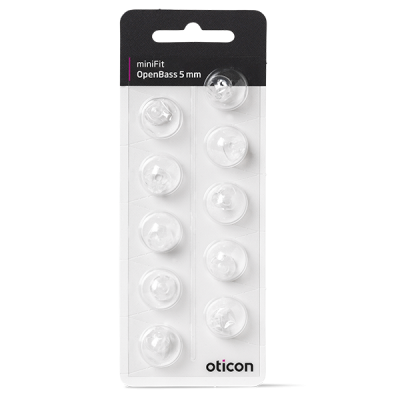
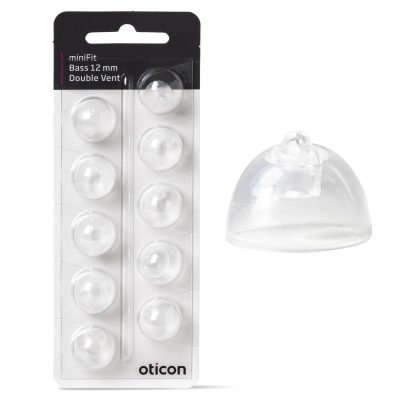
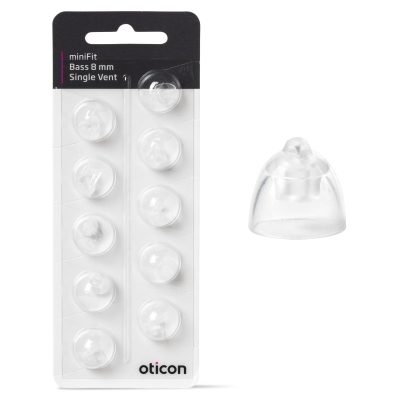
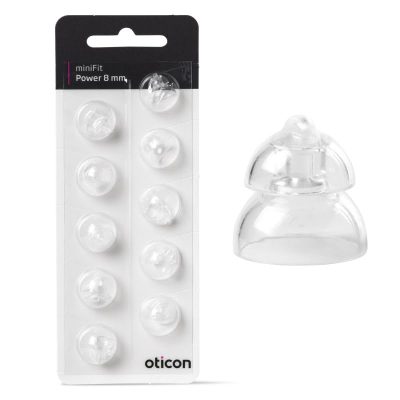
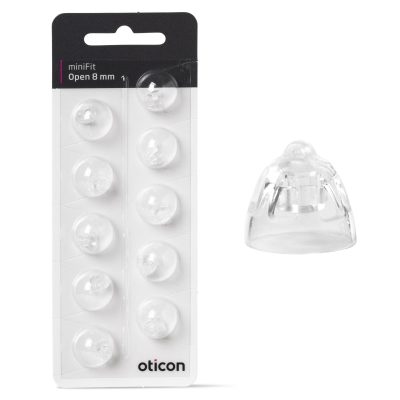
Domes are the soft silicone tips that sit on the end of the receiver. They affect comfort, retention, and how much sound/venting you get. If your dome feels loose, whistles, or causes discomfort, the size or type may need to change.
When choosing domes, focus on:
Type: open, vented, or power/closed (your hearing care professional can confirm which you were fitted with)
Size: the correct diameter prevents feedback and improves stability
Fit on your receiver: domes must match the receiver style used with your miniRITE
Receivers (speaker units)
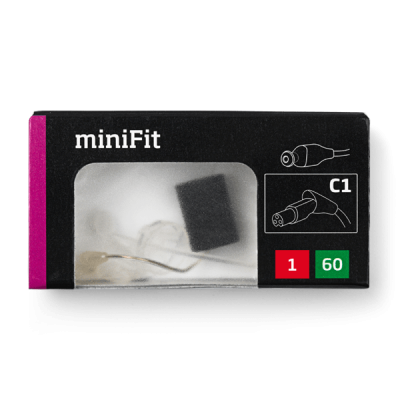
The receiver is the part most closely tied to model compatibility. Receivers vary by power level and wire length. If sound cuts out, becomes distorted, or you have intermittent connection issues, the receiver may be worn or damaged.
To choose the right receiver for Oticon Ruby miniRITE R, you typically need:
Left/right side
Wire length (often indicated by a number on the receiver/wire)
Power level (e.g., standard vs higher power)
If you’re unsure, check any markings on your current receiver or compare with your fitting notes.
Wax filters / wax guards
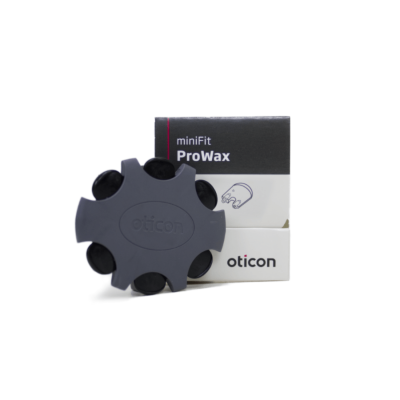
Wax protection helps prevent earwax and debris from clogging the receiver outlet. If sound becomes weak or muffled, a wax filter change is one of the first troubleshooting steps.
To choose the correct wax filters, match the filter system used with your current receiver/earpiece setup. If you can tell us which wax filter you use today (or share a photo), it’s straightforward to confirm the correct type.
Cleaning tools & maintenance items
Regular cleaning improves performance and reduces repairs. Typical items include cleaning brushes, drying solutions, and gentle wipes suitable for hearing aids.
Charging-related accessories (rechargeable “R” models)
Because the Oticon Ruby miniRITE R is rechargeable, charging accessories can be relevant in daily use. If your charger is lost, damaged, or you want a spare for travel, confirm you’re selecting a charger compatible with Ruby miniRITE R (not all Oticon chargers fit every rechargeable model family).
How to choose the right accessory for your Oticon Ruby miniRITE R
If you want to be confident you’re buying the correct part, use this quick checklist:
Identify what you’re replacing: dome, receiver, wax filter, or charging accessory.
Match the current setup: the easiest method is to match the markings/size of the part you already use.
Check receiver details (if relevant): left/right, wire length, and power level must match.
Choose fit and comfort first (for domes): the correct dome type and size reduces feedback and improves stability.
If anything is unclear, it’s better to confirm compatibility before ordering—especially for receivers and chargers.
Common issues (and the accessory that usually fixes them)
Muffled or weak sound: replace the wax filter, then check/replace the dome if needed.
Whistling (feedback): try a better-fitting dome (size/type) or check for a clogged wax filter.
No sound or intermittent sound: inspect the receiver for damage; a replacement receiver is often the solution.
Discomfort or the aid feels loose: adjust dome size/type or consider a retention solution depending on your setup.
Charging problems: confirm you’re using a compatible charger and that the charging contacts are clean.
Buying Oticon Ruby miniRITE R accessories at Japebo
At Japebo, you can find compatible accessories for your Oticon Ruby miniRITE R so you can maintain performance and comfort over time. If you want help choosing the right part, share what you currently use (or send a picture of your receiver, dome, or wax filter), and we can help you identify the correct match.
FAQ: Oticon Ruby miniRITE R accessories
Are Oticon Ruby miniRITE R accessories the same as other Oticon miniRITE models?
Not always. Some accessories may look similar, but compatibility often depends on the specific receiver system, dome attachment style, and charger type used by your model.
How often should I change wax filters on my Oticon Ruby miniRITE R?
It depends on earwax buildup and daily use. If sound becomes weaker or muffled, changing the wax filter is a good first step.
How do I know which dome size I need?
The safest approach is to match the size printed on the packaging of your current domes or compare directly with the domes you’re wearing now. If you experience whistling or looseness, you may need a different size or type.
What receiver do I need for Oticon Ruby miniRITE R?
Receivers must match left/right, wire length, and power level. Check the markings on your current receiver or your fitting information to identify the correct specification before ordering.
Can I use any Oticon charger with Ruby miniRITE R?
No. Rechargeable Oticon models can use different charging systems. Choose a charger specifically listed as compatible with Oticon Ruby miniRITE R.