Oticon Opn ITE FS (Full Shell)
Oticon Opn ITE Full Shell (FS) accessories | Japebo Guide
If you use Oticon Opn ITE Full Shell (FS) hearing aids, the most important thing when buying accessories is model-specific compatibility. In-the-ear (ITE) Full Shell instruments typically use custom components (made to match your exact ear and device), so many “universal” accessories won’t fit. This guide explains what usually fits Oticon Opn ITE Full Shell models, what to check before you buy, and how to choose the correct replacement parts.
What are Oticon Opn ITE Full Shell (FS) hearing aids?
Oticon Opn ITE Full Shell (FS) is an in-the-ear style where the shell fills most (or all) of the visible outer ear bowl. Because the shell is custom-made, parts like filters and batteries are often the most common “user replaceable” items, while items such as receivers/speakers are generally serviced by a hearing care professional.
Which accessories are most common for Oticon Opn ITE Full Shell?
For Oticon Opn ITE Full Shell (FS) devices, the accessories people replace most often are:
Batteries (size depends on your exact build)
Wax filters (wax guards) to protect the sound outlet from earwax
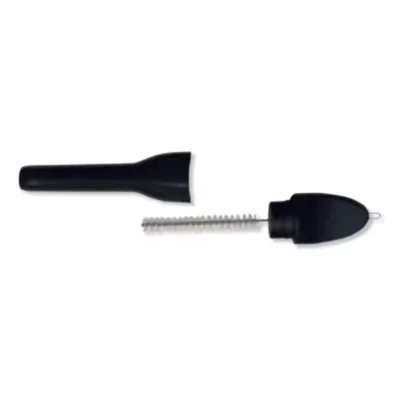
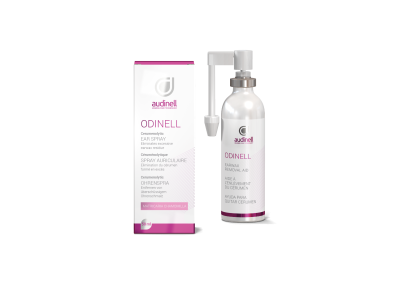
Cleaning tools (brushes, cloths, drying solutions)
Unlike many behind-the-ear models, domes and standard receivers are typically not the main purchase for a Full Shell ITE, because the sound outlet is usually integrated into the custom shell.
Oticon Opn ITE Full Shell compatibility: what to check before ordering
To ensure the accessory you buy truly matches your Oticon Opn ITE Full Shell (FS), check the following before you add to cart:
1) Exact wax filter system used in your device
Oticon ITE instruments can use different filter types depending on the generation and build. The safest way to identify the right one is to:
Check the packaging from your current filters (often the name/type is printed on the box)
Compare the shape and insertion tool to what you have
If you are unsure, match by photos and dimensions or contact support with your model details
2) Battery size (and whether your instrument is rechargeable)
Most Oticon Opn ITE Full Shell instruments use disposable zinc-air batteries, but battery size can vary depending on the exact configuration. If you currently use disposable batteries, check the number/color code on your existing battery pack (for example, 10/yellow, 312/brown, 13/orange). Then buy the same size.
3) Venting and sound outlet style
Because the shell is custom, details such as the vent and outlet can affect which cleaning tools and wax protection solutions make sense. If a product claims compatibility “for all Oticon ITE,” double-check it is intended for Full Shell ITE constructions—when in doubt, match the exact filter format you are currently using.
How to choose the right wax filters for Oticon Opn ITE Full Shell
Wax filters are there to protect your Oticon Opn ITE Full Shell (FS) from blocked sound and moisture. Choose based on what your device already uses, not only by the hearing aid family name.
You should replace the wax filter if you notice:
Sound is weaker or muffled
Intermittent sound (cuts in/out)
Visible wax buildup at the sound outlet
If changing the wax filter doesn’t restore sound, the issue can be deeper (microphone inlet, moisture, or internal component) and the safest next step is professional cleaning/service.
Common issues and quick fixes (Oticon Opn ITE Full Shell)
Muffled or no sound
Replace the wax filter
Insert a fresh battery (if applicable)
Check for moisture; let the device dry overnight in a drying solution
Short battery life
Confirm you are using the correct battery size
Store batteries in a dry place and let the sticker tab sit for ~1 minute before inserting
If battery life suddenly drops, moisture or a damaged battery door can be the cause
Feedback/whistling
Ensure the hearing aid is inserted correctly (Full Shell should sit snugly)
Check for cracks or damage to the shell (contact your clinic if present)
Wax buildup can change acoustics—replace the wax filter and clean the outlet area
Where to buy Oticon Opn ITE Full Shell (FS) accessories
At Japebo you can buy compatible Oticon Opn ITE Full Shell (FS) accessories such as wax filters, batteries, and cleaning products. If you’re unsure which exact filter system or battery size your device uses, choose based on what you already have (packaging/photo match) or contact support with your model details to avoid ordering the wrong part.
FAQ: Oticon Opn ITE Full Shell (FS) accessories
Do Oticon Opn ITE Full Shell hearing aids use domes?
Typically no. Full Shell ITE hearing aids usually have a custom-built outlet as part of the shell rather than replaceable domes like many receiver-in-canal styles.
Which wax filters fit Oticon Opn ITE Full Shell (FS)?
It depends on the exact build of your instrument. The correct approach is to match the wax filter type you already use (from the packaging or by comparing shape/tool). If you share your current filter type, it becomes straightforward to select the right replacement.
What battery does Oticon Opn ITE Full Shell use?
The battery size can vary. Check the number/color code on your current battery pack and reorder the same size to ensure compatibility.
How often should I replace wax filters on an Oticon Opn ITE Full Shell?
Replace when sound becomes muffled/intermittent or when you see wax buildup. For many users this ranges from every few weeks to monthly, depending on earwax production and daily wear conditions.
My hearing aid is still quiet after changing the wax filter—what next?
Try a fresh battery and make sure the device is dry and clean. If the problem persists, it may require professional cleaning or service (for example microphone inlet blockage or an internal component issue).