
Oticon Nera2 BTE accessories & compatibility guide | Japebo
If you use an Oticon Nera2 BTE hearing aid, choosing the right accessory is mostly about matching your exact Nera2 BTE model and ear coupling (tube + earmould, thin tube, or receiver-in-the-ear style). This guide explains which accessories are typically used with the Oticon Nera2 BTE series, how to identify what you have, and how to pick the correct replacement parts so everything fits and sounds right.
What is the Oticon Nera2 BTE series?
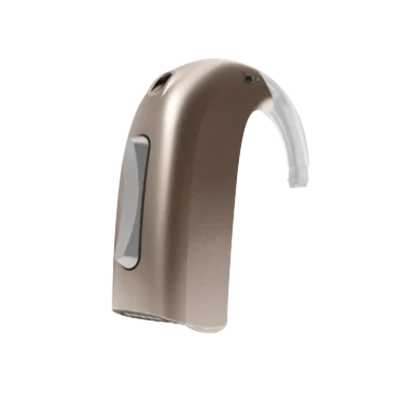
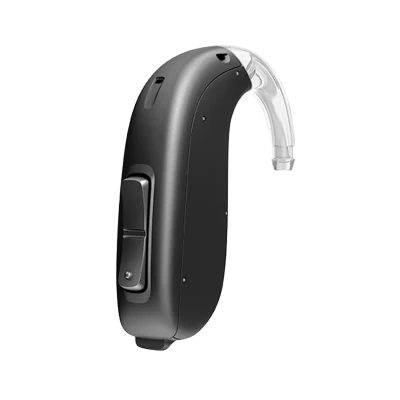
Oticon Nera2 BTE models are behind-the-ear hearing aids. Depending on the exact variant, they may be fitted with:
Standard BTE tubing connected to a custom earmould
Thin tube (sometimes called miniFit tube) connected to a small dome
In some fittings, an external receiver unit may be used (style varies by model and region)
Because accessories differ by coupling type, the most important first step is confirming whether you have standard tube + mould or thin tube + dome.
How to check which accessories fit your Nera2 BTE
1) Identify your coupling: mould, dome, or receiver
Use these quick checks:
Custom earmould: you have a full (or half) mould shaped to your ear, connected by a clear tube.
Dome: you have a small silicone tip at the end of a thin tube.
Receiver: the speaker sits in the ear canal as a separate part (common on RIC styles; less common on classic BTE fittings).
2) Look for markings on the tube or dome system
Oticon systems often have printed size/side markings (for example L/R and a length number) on the tube. If you can see that, you’re usually dealing with a thin-tube system where exact length and side matter.
3) When in doubt, match by photo or ask your audiologist
If your current parts are worn but still intact, matching the shape of the connector (where the tube attaches to the hearing aid) is the safest way to avoid ordering an incompatible type.
Common accessory types used with Oticon Nera2 BTE
Thin tubes (if your Nera2 is fitted with domes)
Thin tubes are the most co