Oticon Jet PX miniRITE T
Oticon Jet PX miniRITE T accessories & compatibility guide | Japebo
If you use the Oticon Jet PX miniRITE T, choosing the right accessories is mostly about matching the exact miniRITE fitting parts your device uses—so you get a secure fit, clear sound, and fewer dropouts caused by blocked filters or worn parts. This guide explains which accessory types are typically used with Oticon Jet PX miniRITE T and how to identify the correct option before you buy.
What “miniRITE T” means for accessories
miniRITE is Oticon’s receiver-in-the-ear style, where the speaker (receiver) sits in the ear canal and connects to the hearing aid behind the ear via a thin wire. The “T” indicates a telecoil feature, but it does not change which domes, wax filters, or receivers you need. For accessory compatibility, the important factors are:
Dome style and size (comfort and acoustic openness)
Wax filter type (must match the receiver/filter system)
Receiver type/length/power level (must match your fitting)
Battery size (if your model uses replaceable batteries)
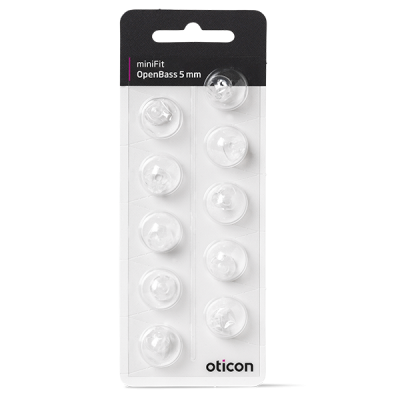
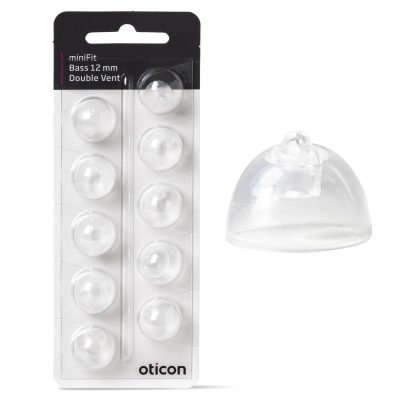
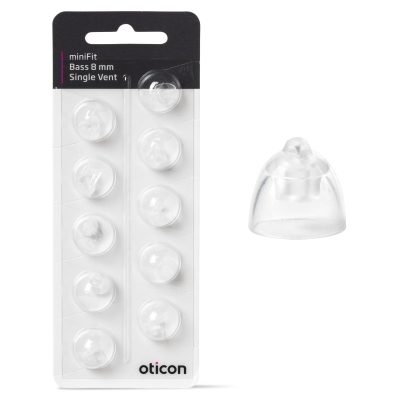
Domes for Oticon Jet PX miniRITE T
Domes are the soft ear tips that sit on the receiver. They affect comfort, retention, and sound (especially bass). For the Oticon Jet PX miniRITE T, you’ll typically be choosing between:
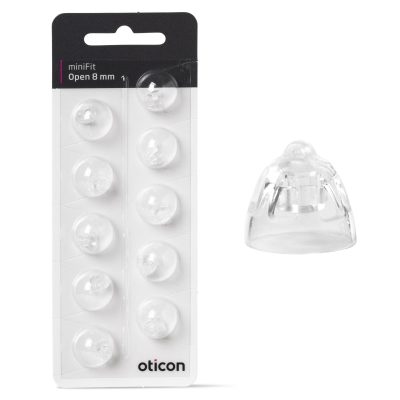
Open domes – best when you want a more “open” feel (less occlusion) and your fitting doesn’t require strong low-frequency amplification.
Vented/closed domes – more sealing than open domes; can improve bass and reduce whistling for some fittings.
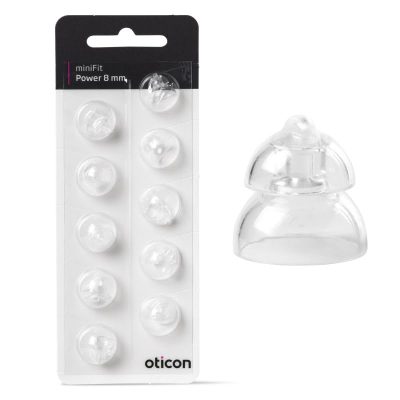
Power domes – most sealing; often used for higher power needs, but can feel more closed.
How to choose the right dome: match the type your hearing care professional fitted, then match the size (commonly indicated on the dome packaging or based on what’s currently on your receiver). If you’re between sizes, the more secure (slightly larger) option often reduces feedback—while the more open option often feels more comfortable. If your sound changes dramatically after swapping domes, you likely changed the acoustic seal and should switch back to the original type.
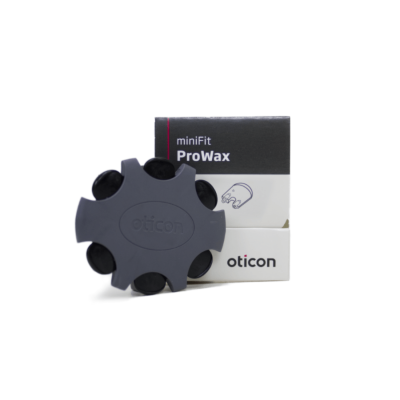
Wax filters (cerumen guards): the most common “small part” to replace
If your sound becomes weak, dull, or intermittent, a blocked wax filter is a common cause. The Oticon Jet PX miniRITE T uses a receiver system that requires a specific wax filter type. Wax filters are not universal, so the correct choice depends on your exact receiver/filter system.
How to identify the correct wax filter:
Check the name on your current wax filter pack (if you have it).
Look at the receiver tip: some systems use a filter that sits flush in the receiver opening; others use a small “tool” with a prong for removal/insertion.
If you’re unsure, compare your current filters to the product photos before ordering.
Tip: if replacing the wax filter doesn’t restore sound, also inspect the dome for blockage and check whether the receiver wire is damaged.
Receivers for Oticon Jet PX miniRITE T (speaker units)
Receivers are matched to your fitting by power level and length (left/right). Ordering the wrong receiver can lead to poor fit, discomfort, or incompatibility.
To choose the correct receiver, confirm:
Power level (e.g., Low/Medium/High or similar naming depending on Oticon generation)
Length (the wire length that routes comfortably around your ear)
Side (Left vs Right)
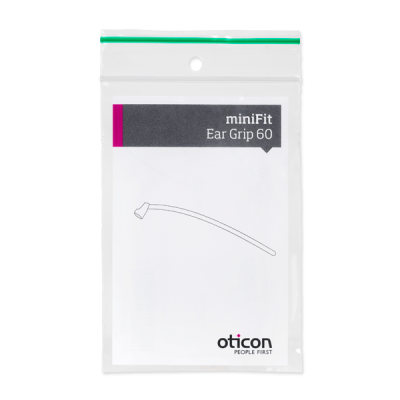
These details are often printed on the receiver itself (tiny text) or listed on your fitting paperwork. If your current receiver works but the sound is cutting out when you move, the receiver cable may be worn—replacing the receiver can fix intermittent issues.
Batteries for Oticon Jet PX miniRITE T (if applicable)
Some Jet PX miniRITE T versions use replaceable zinc-air batteries, while others are rechargeable. If your device has a battery door and uses disposable batteries, match the battery size/color code specified for your model.
Battery tips: let the battery “air up” for about a minute after removing the sticker, and store batteries at room temperature for best performance.
Common issues and quick fixes
Sound is weaker than normal → replace the wax filter, then check/replace the dome.
Whistling/feedback → ensure the dome is seated fully; consider returning to your original dome type/size.
It feels loose or falls out → try the same dome type in a larger size, or ask about retention solutions.
Intermittent sound → inspect the receiver wire for damage; consider replacing the receiver.
Buy Oticon Jet PX miniRITE T accessories at Japebo
When you shop accessories for the Oticon Jet PX miniRITE T, prioritize exact compatibility (filter system, receiver type, and dome style) to avoid ordering the wrong parts. Use the product details and photos to match what you already wear, and replace wax filters and domes regularly to keep your sound stable.
FAQ: Oticon Jet PX miniRITE T accessories
Are Oticon domes universal across all Oticon hearing aids?
No. Many Oticon domes look similar, but compatibility depends on the receiver and dome system used with your Oticon Jet PX miniRITE T. Match the dome system and size you currently use.
How often should I change wax filters?
It depends on wax production and daily use, but many users replace them every few weeks or when sound becomes weaker. If you frequently notice blockage, you may need to change them more often.
Can I use a different dome type to get more bass?
Switching from open to more closed/power domes can increase bass, but it also changes the acoustic fit and may affect comfort or increase the “blocked” feeling. If your sound changes too much, switch back to your original dome type or consult your hearing care professional.
How do I know which receiver length I need?
The receiver length is typically the same as what you already have. If you can’t read the marking on the receiver, check your fitting paperwork or compare the available lengths to the one currently on your device.
My hearing aid works, but the sound cuts out when I move—what should I replace?
First replace the wax filter and dome. If the problem continues, the receiver cable may be worn; replacing the receiver is a common fix for movement-related cutouts.